AI words to avoid on a landing page, and what to write instead
The filler words and sentence shapes that give AI-written copy away, with before and after rewrites that use words from your product and numbers you really have.
The short version
- Swap words like unlock, seamless and elevate for the real claim they hide, using a word from your product.
- Cut the stock sentence shapes: the "In today's fast-paced world" opener, the "not just X, it's Y" reversal, triplets, question hooks and vague superlatives.
- Only use numbers you can trace to a source. Give your agent a rewrite brief with real facts and a list of banned words.
On this page
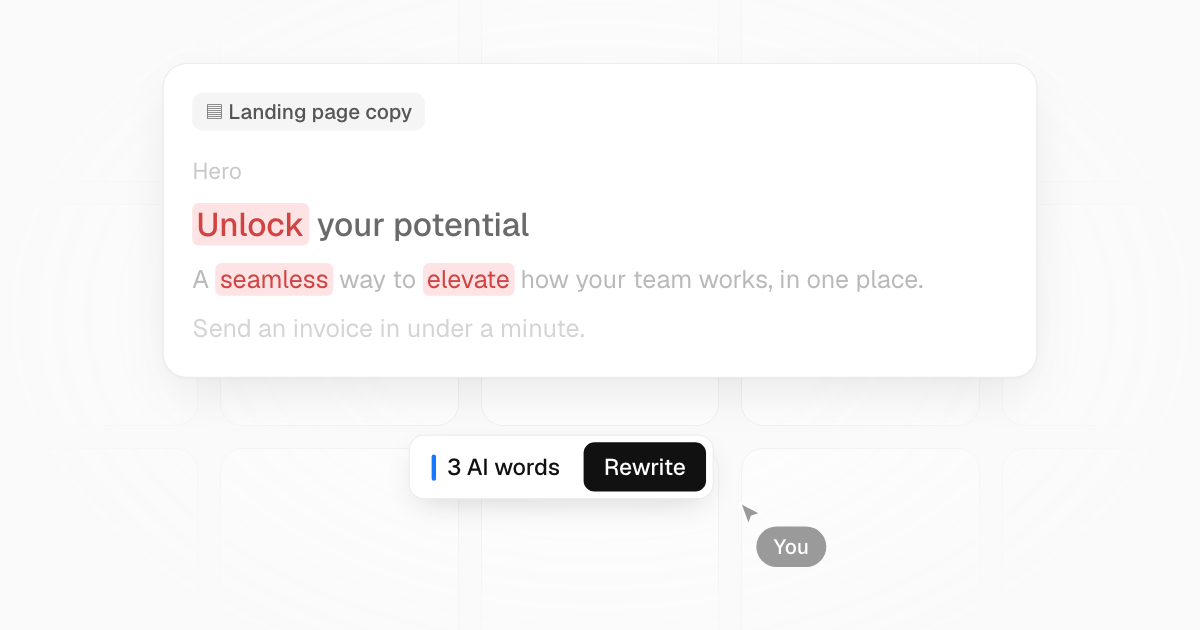
You can fix every color and font on a page, and it will still read as AI-built if the copy says “Unlock your potential with our seamless platform”. Visitors skim a landing page fast. If the first sentence is one they’ve seen on many other sites, they have little reason to keep reading.
AI copy goes wrong in the same few ways. There’s a short list of words and an even shorter list of sentence shapes. Replace them with specifics, and the page starts to sound like it was written by someone who knows the product.
The words
These words show up again and again in agent-written copy. Each one swaps a real claim for a feeling.
| Word or phrase | What it is standing in for |
|---|---|
| “unlock” | what the user can now do |
| “elevate” | what gets better, and by how much |
| “seamless” | which steps you removed |
| “supercharge” | what gets faster |
| “revolutionize” | what you do differently from the usual way |
| “empower” | who can now do the task without help |
| “effortless” | how long the task takes |
| “cutting-edge” | the actual technology, or nothing |
| “robust” | what it handles that others do not |
| “streamline” | which steps are gone |
| “harness the power” | the feature’s name |
| “next-level” | nothing at all |
The right column is your rewrite. Each of these words points at a real claim you skipped. Write the claim.
The sentence shapes
Some AI copy has none of the words above and still sounds generated. Usually the problem is the shape of the sentence.
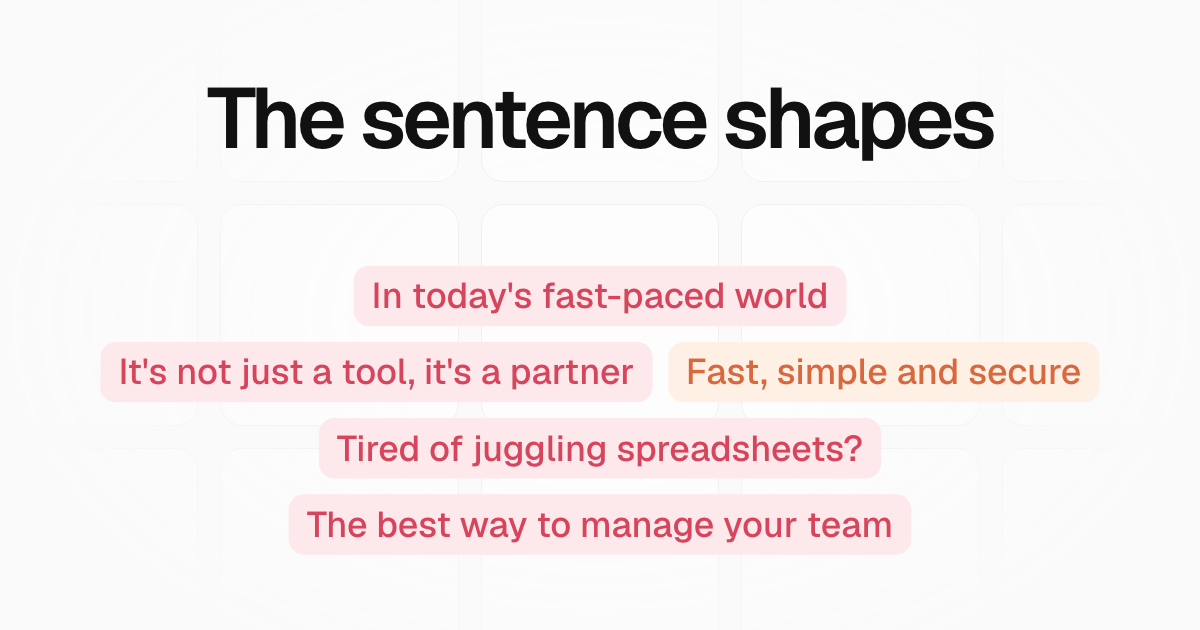
The opener. “In today’s fast-paced world” or “In the ever-evolving landscape of”. These tell the reader nothing and delay the point. Delete the clause and start with the second half of the sentence.
The reversal. “It’s not just a tool, it’s a partner.” The model likes this shape because it sounds smart. It almost never is. Say what the thing is, once.
The triplet. “Fast, simple and secure.” “Plan, build and ship.” Three items in a row sound nice, so models write them a lot. When every heading and sentence is a triplet, the rhythm gives it away. Keep one if all three are true and specific. If not, pick the one that matters most.
The question hook. “Tired of juggling spreadsheets?” A question like this only delays the answer. Give the answer.
The vague superlative. “The best way to manage your team.” Best by what measure? If you can name the measure, use it. If you can’t, cut the claim.
Before and after
Here are rewrites for a made-up scheduling app. The pattern matters more than the product. Replace the feeling with a word from the product, a thing the user does, or a number you really have.
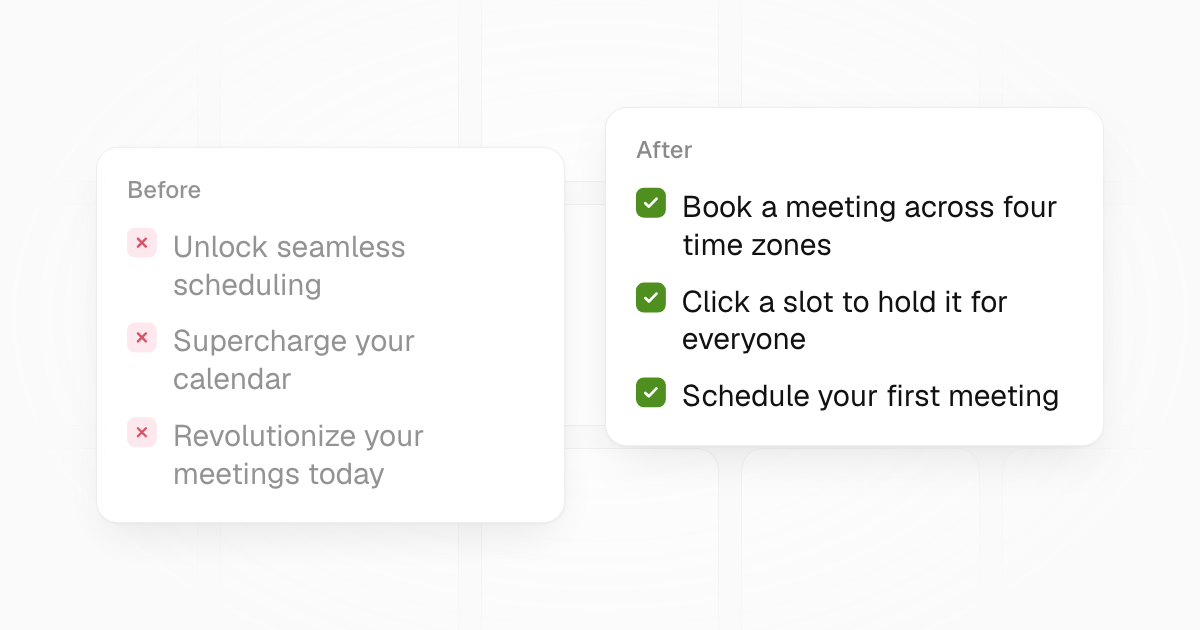
Hero headline
Before: Unlock seamless scheduling for your team.
After: Book a meeting across four time zones without opening a spreadsheet.
Subheading
Before: Our cutting-edge platform empowers teams to streamline their workflow and elevate productivity.
After: Pick the people. The app finds the hour that works for everyone and sends the invite.
Feature title
Before: Supercharge your calendar
After: Shared availability, updated as people accept
Feature body
Before: It’s not just a calendar, it’s a smarter way to work. Fast, simple and secure.
After: Each person’s free hours show as one overlay. Click a slot to hold it for everyone.
Call to action
Before: Revolutionize your meetings today
After: Schedule your first meeting
Look at what the “after” versions share. Some are longer, and that’s fine. Each names a thing the user can picture. Each describes an action instead of a feeling. None needs an exclamation mark.
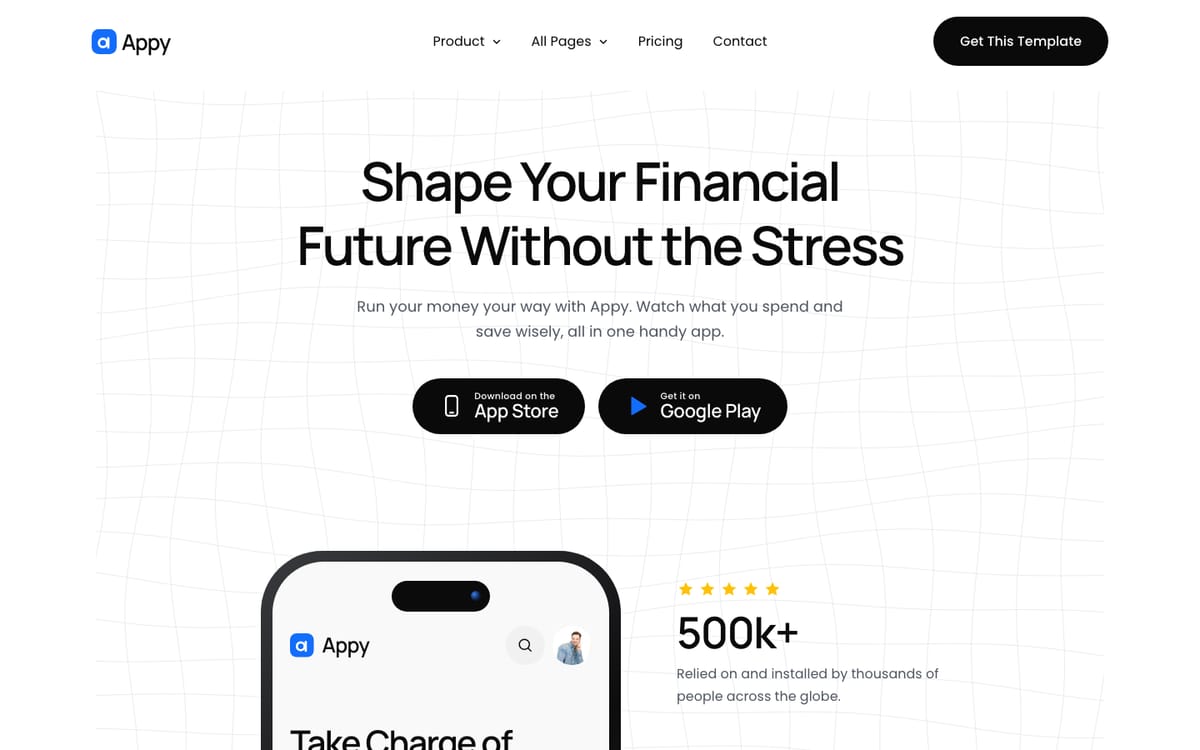
Example: Appy, a designed Astro template on Aymu.
Read it out loud
The fastest test is to read the page out loud, as if you were telling a friend about the product. You’ll hear the problems before you see them. Nobody says “empower your workflow” to a person. You’d say what the product does and why you built it.
Mark every line where you stumble or feel a bit embarrassed. Rewrite those first. Then read the new version out loud too. If it sounds like something you’d really say, keep it.
Numbers: only the ones you have
Specific numbers make copy believable, which is exactly why models make them up. Lines like “Trusted by 10,000 teams” and “Save 5 hours a week” can show up on pages for products that only just launched.
The rule is simple. Only use a number if you can point to where it came from. Real numbers you probably have:
- how many steps the task takes in your product,
- how long setup takes when you time it yourself,
- how many integrations, templates or file types you support,
- the size limit, the price, the response time you measured.
If you don’t have a number, describe the action instead. “Connect your calendar in two clicks” beats a made-up stat, and you can check it.
Do this today
Search your site for the worst offenders. From the project root:
grep -rniE "unlock|elevate|seamless|supercharge|revolutioni[sz]e|empower|effortless|cutting-edge|next-level|streamline|harness|fast-paced|ever-evolving" srcThen give the results to your agent with a rewrite brief. The brief needs facts it can use, so fill in the blanks first.
Rewrite the marketing copy in src/pages/index.astro.

Facts about the product (use only these, invent nothing):
- What it does: <one sentence>
- Who uses it: <role or situation>
- The main thing a user does in it: <verb + object>
- Numbers I can stand behind: <list, or "none">

Rules:
- Do not use: unlock, elevate, seamless, supercharge, revolutionize, empower,
  effortless, cutting-edge, robust, streamline, next-level, harness.
- No "not just X, it's Y" sentences. No rhetorical questions.
- No lists of three adjectives. No exclamation marks.
- No numbers, customer counts or testimonials beyond the facts above.
- Each headline names a thing the user does or sees in the product.
- Keep each line within 20% of the current length.

Show the old and new text side by side before editing the file.
Read the side-by-side before you accept it. If a new line could still go on a competitor’s page as is, it isn’t specific enough. Add a fact and run it again.
Copy is half of what makes a page look like a default. The other half is visual, and 12 signs your website looks vibe coded covers both. Once the words are yours, the headline is next, and Hero section design: fix a generic AI hero, step by step walks through it.
Share this post
 Post on X
 Share on LinkedIn
Ask an AI about this post
 ChatGPT
 Claude
 Perplexity
 Google AI
 Grok
 Written byMuhammad SumonDeveloper and UI/UX designer