Best Astro templates for 2026: designed picks by use case
A hand-picked list of Astro templates grouped by what you're building: SaaS, agencies, local businesses, education and charity, and bold brands. Plus the free open-source options worth knowing.
The short version
- Pick an Astro template by the pages and section order you need first. Colors, fonts and copy are the easy parts to change later.
- Designed paid templates suit a business site that has to look finished. For a plain blog or a docs site, a free theme is often the better fit.
- Install a template into a new, empty folder and get it running unchanged before you ask your AI agent to edit anything.
On this page
- How to choose an Astro template
- Best Astro templates for SaaS and startups
- Best Astro templates for agencies and studios
- Best Astro templates for local businesses
- Best Astro templates for education and charity
- Bold and cinematic Astro templates
- Good free Astro templates
- How to install one with your AI agent
Search for “Astro templates” and you get long lists. Some are big directories, some are GitHub collections, and some are roundups that put a dashboard kit next to a blog theme. That’s fine if you like browsing. It’s less helpful when you just want to know which template fits the site you need to build this week.
This list is grouped by use case instead. Most of the picks are templates we made at Aymu, so take that into account. We tell you what each one is for and who it suits. At the end there’s a section on good free options, and we say plainly when one of those is the better choice.
How to choose an Astro template
A nice screenshot is easy to fall for. These five checks matter more.
- Design quality. Look at the type, the spacing and how sections sit next to each other. A good template looks designed in every section, not only in the hero. Open the live demo and scroll all the way down.
- Real pages included. A landing page alone is fine for a launch. But if you’ll need pricing, a blog, a contact page or detail pages for services, check that those layouts exist. Building them later in the same style is the hard part.
- Tailwind CSS v4. Tailwind v4 keeps the design tokens in CSS with
@theme. That makes colors and fonts easy to find and change in one place. A template still on an older setup is more work to update. - Easy to edit with an AI agent. Clear components, one place for the theme, and content that isn’t buried in long markup all help Claude Code or Cursor make small edits without breaking the design. Some free themes now ship a guide file for AI agents, which is a nice touch.
- License. Check what you’re allowed to do with it. Open-source themes usually say so in a
LICENSEfile. Paid templates have their own terms. Read them before you build a client site on one.
If you want the longer version of this, with the “pick by structure, not by color” idea, read Astro templates vs a blank prompt.
All the Aymu templates below are multi-page Astro and Tailwind CSS v4 projects, except Echo, which is a one-page landing. They’re paid. Each one has a live demo, and every animation stays still when the visitor has reduced motion turned on.
Best Astro templates for SaaS and startups
A SaaS site needs a clear hero, product screens, pricing and somewhere to post updates. These four are built for that.
Boost
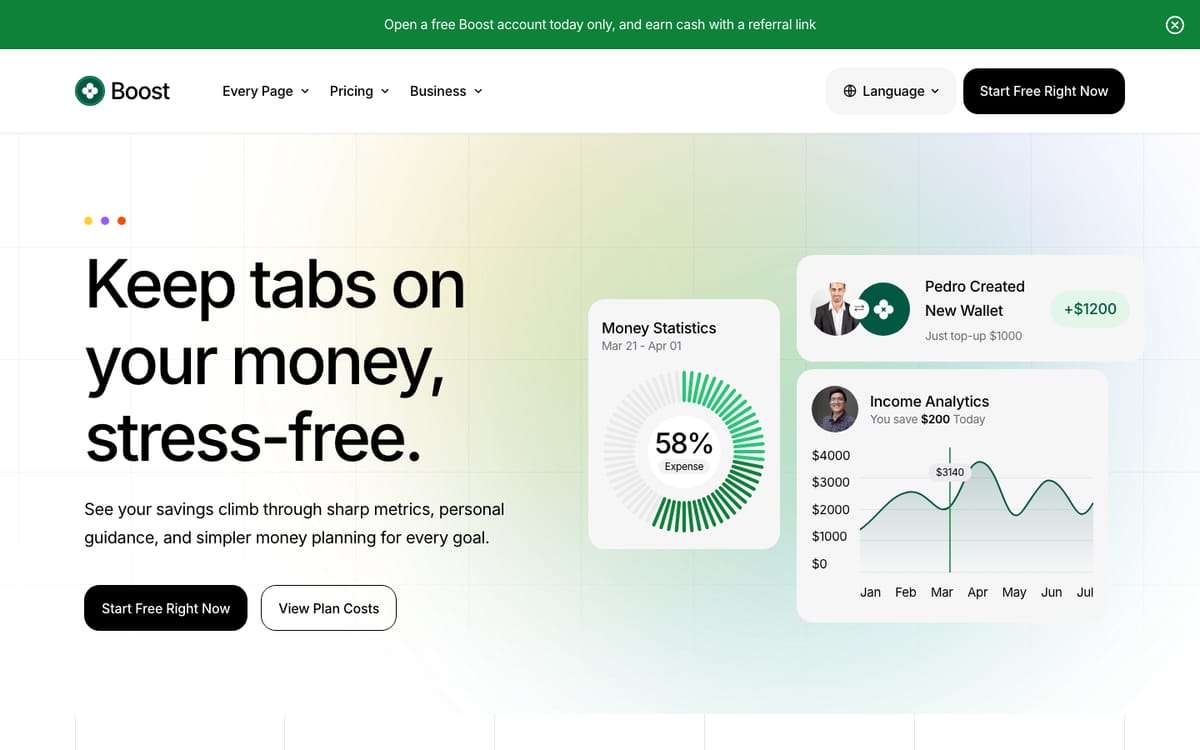
Boost is a clean fintech SaaS template in deep green, made for finance, budgeting and payment products. It has 19 pages with three home layouts. You get a floating finance-card hero, product mockups built in HTML, pricing with a monthly and annual switch, a plan comparison, integrations, a changelog and a blog.
It suits a fintech or payments startup that wants to look trustworthy without looking like a bank.
Forta
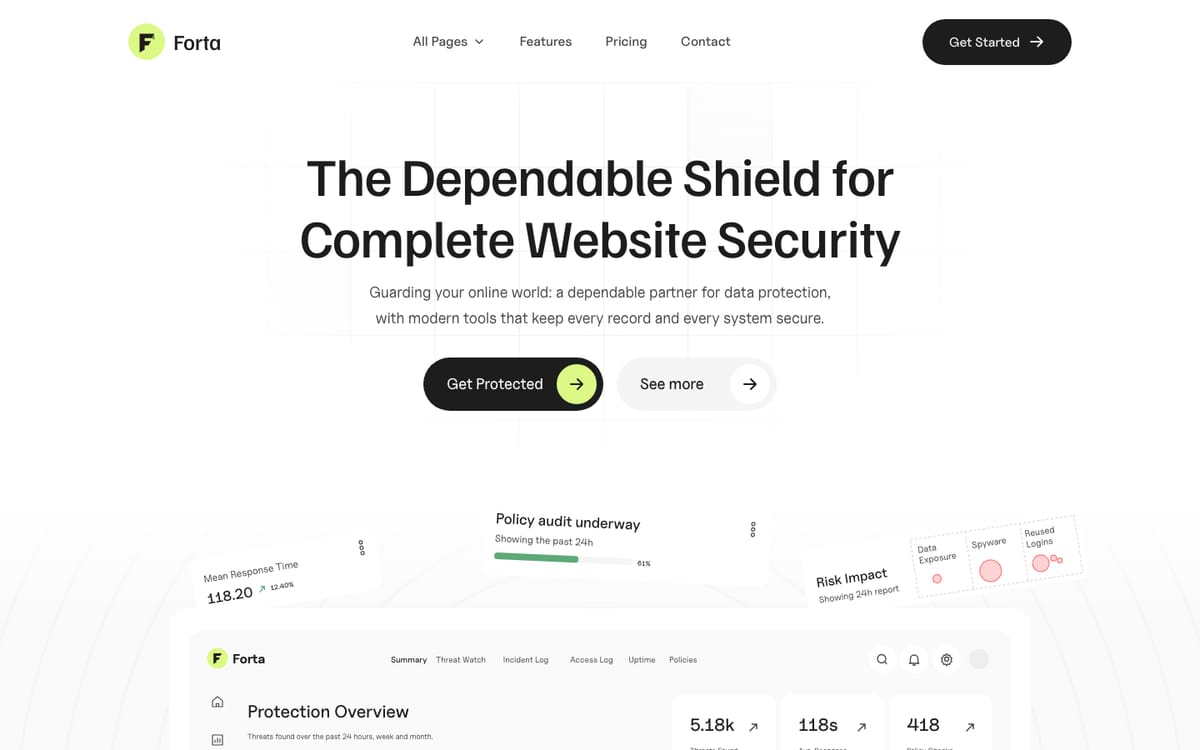
Forta is a light template for security and data-protection software. It mixes white pages and soft grey cards with a near-black panel and a calm green accent. There are lots of product screens, plus pricing, reviews, a blog, a changelog, integrations, about and contact pages.
Pick it if your product has a real dashboard you want to show off, and your buyers care about trust.
Tasky
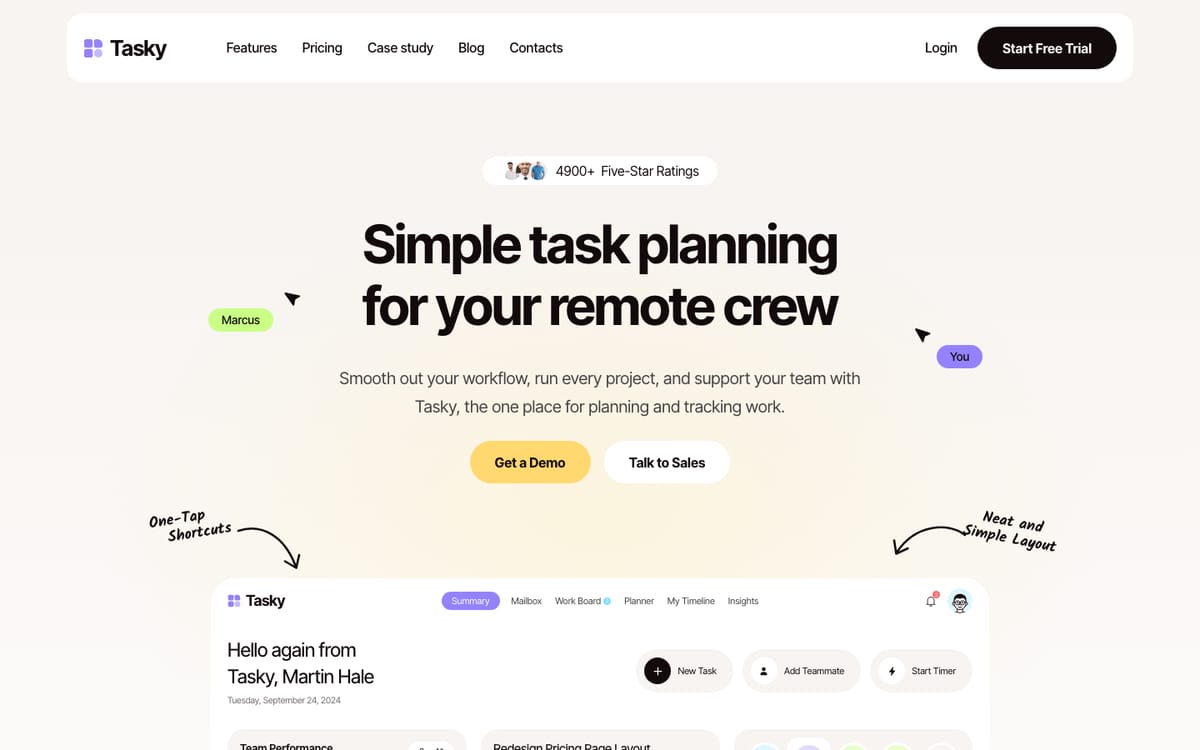
Tasky is a bright, friendly template for task-management and productivity startups. Cream pages, sunny yellow, violet and lime cards, doodle avatars and handwritten notes keep it playful. It has six pages: home, pricing, a blog index and post, and case studies with a case study page.
It’s a good fit for a tool aimed at small teams, where a little personality helps more than a serious tone.
Cloudy
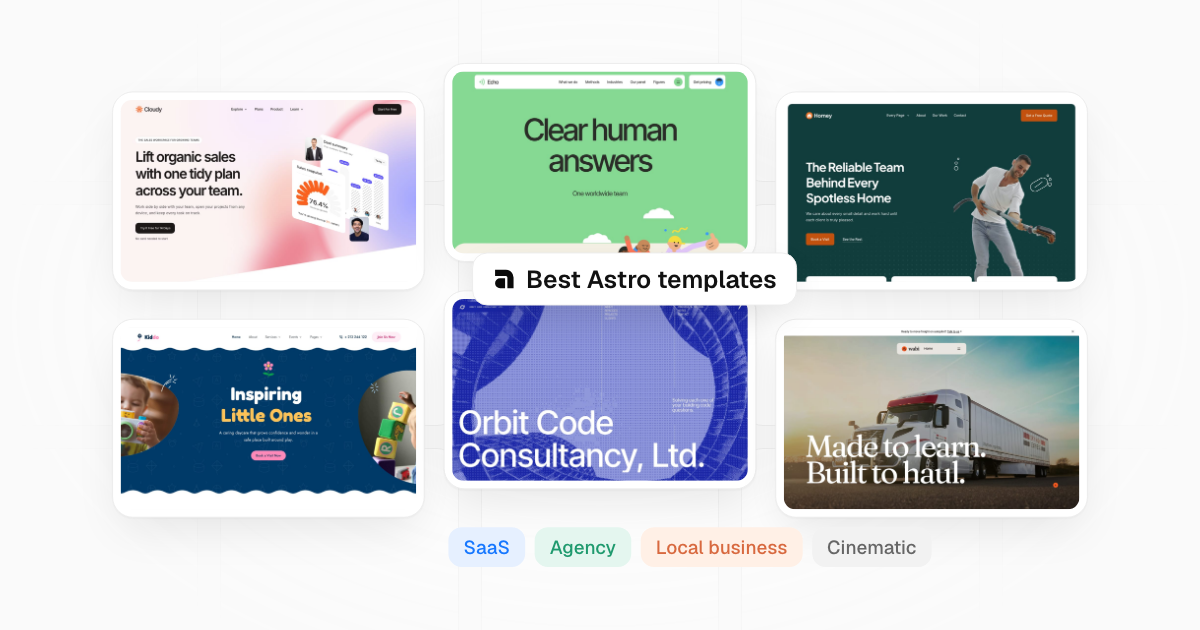
Cloudy is a bright template for SaaS teams that sell sales, marketing or work tools. It has five pages: home, product, plans, a journal and its article page. Tilted dashboard cards rise in on load and drift as you scroll, on a violet and warm orange palette.
Use it when you want a short, focused site and don’t need a big page count.
If you’re building a mobile app instead, look at Appy. It’s a fintech app template with a phone-mockup hero, app-card showcases, pricing, a blog and a coming-soon countdown page.
Best Astro templates for agencies and studios
An agency site is the portfolio. It needs to feel like your work, so these lean harder on motion and type.
Stella
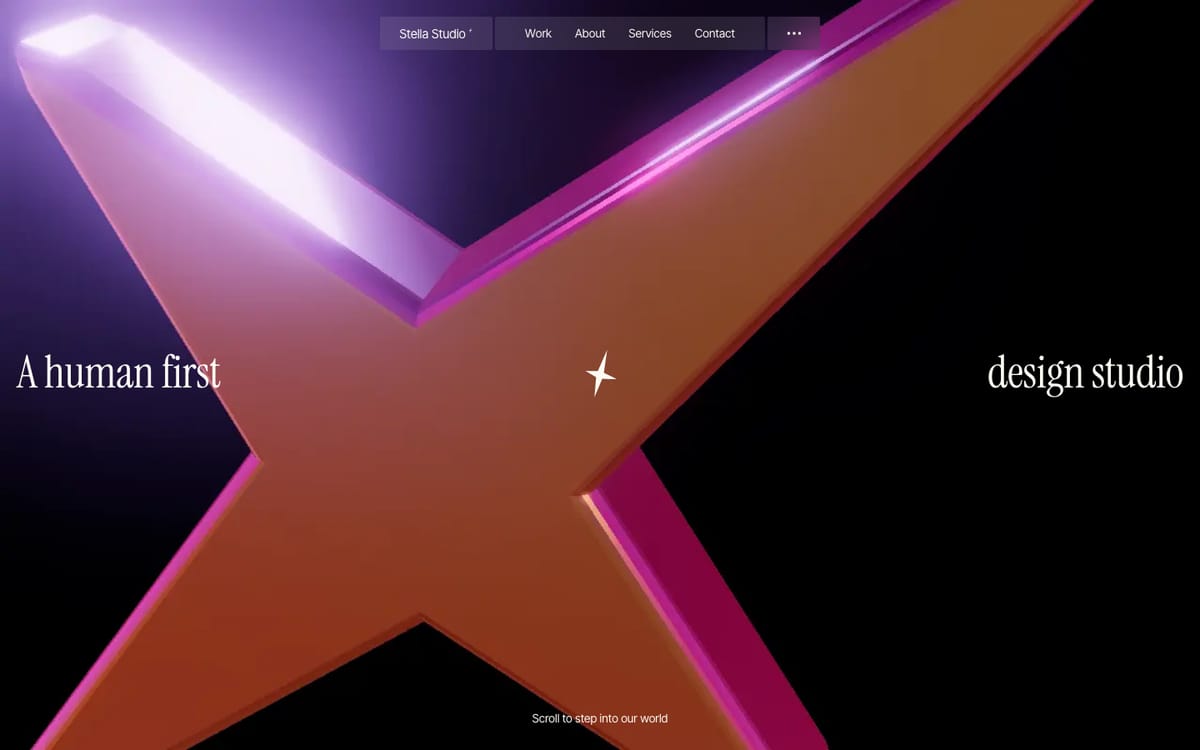
Stella is a dark, cinematic template for a design studio or creative agency. It has four pages: a landing page, a work index, case studies and a services page. A glowing glass star turns in the hero film, and headlines are set in Instrument Serif over Inter Tight.
It suits a studio that wants a premium, quiet, high-end feel.
Hubby
Hubby is a bold, motion-rich template for an independent digital studio. Giant lowercase wordmarks sit next to original 3D objects, service cards pin and stack as you scroll, and case studies count down to the next project. It has a home page, a studio page, a work index and case-study pages.
Pick it if your studio’s style is loud and you want the site to move.
Twin
Twin is a playful, heavily animated template for a small branding or design studio. Hand-drawn characters walk across the hero and orange trails draw themselves as you scroll. It has four pages: a home page with contact built in, a work index, a project case study and an about page.
It’s a good pick for a two- or three-person studio with a friendly brand.
Echo
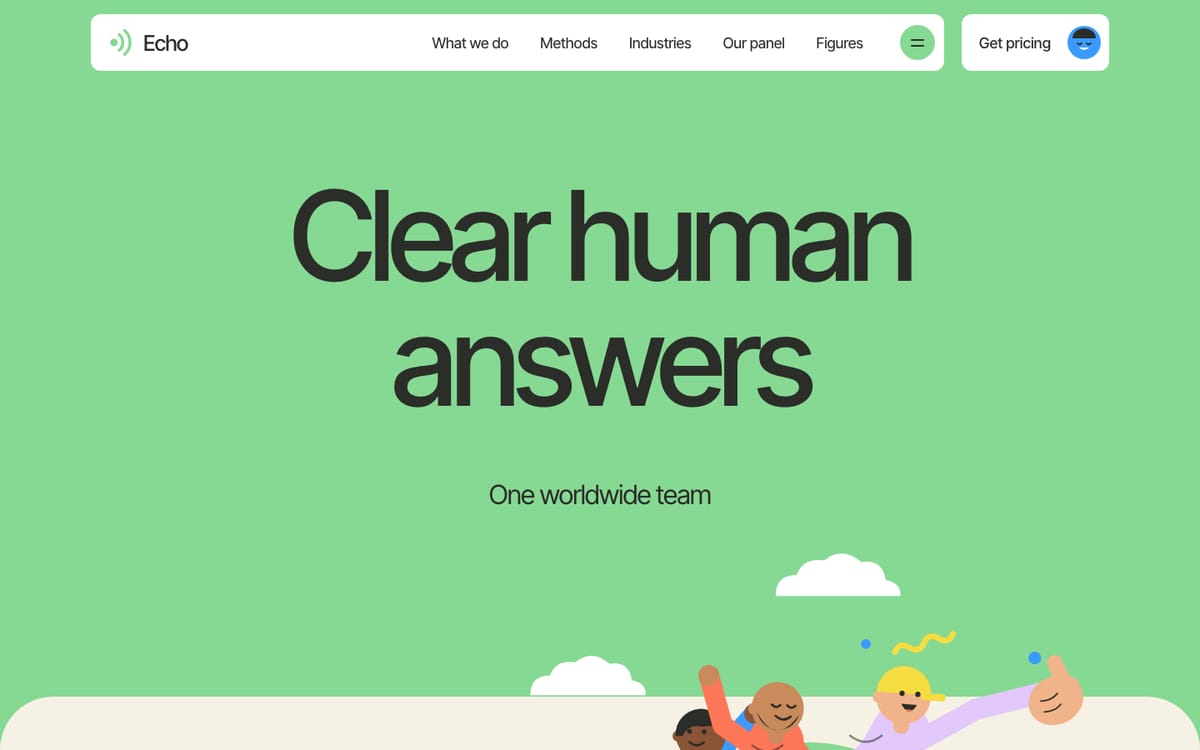
Echo is a one-page landing template for a research or insights agency. Giant bold type, flat illustrations and tilted stat cards give it a lot of energy. Since it’s a single page, it works best when you need one strong page more than a full site.
Best Astro templates for local businesses
Local service sites have a different job. Visitors want to see what you do, trust you and call or book. Real photos, service pages and contact forms matter more than fancy motion.
Homey
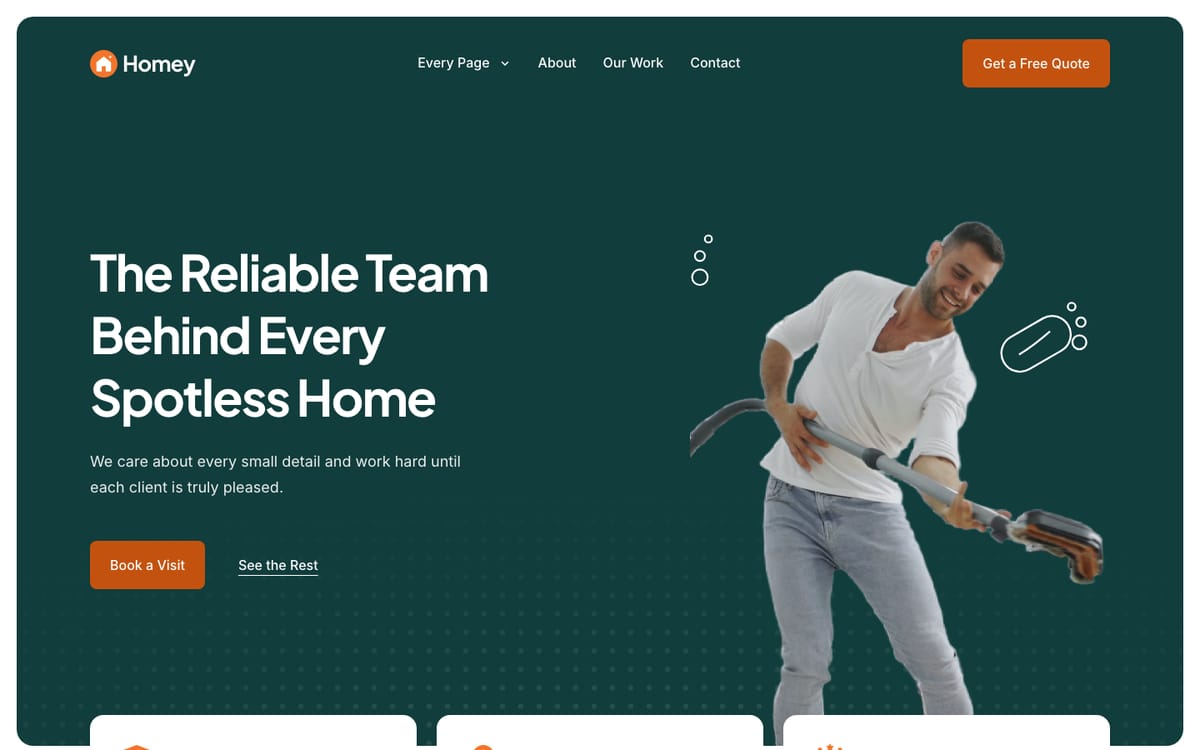
Homey is a warm, bold template for home-service businesses. It has 21 pages, including six home pages for cleaning, plumbing, pest control, renovation, elderly care and roofing. Then there are about, services, service details, pricing, reviews, blog and contact pages.
It suits a business that offers more than one trade, or an agency that builds sites for several local clients.
Sparkle
Sparkle is a bright, friendly template for cleaning companies. It has 10 pages, with services that each get a Markdown detail page, a gallery, a blog, and contact and booking forms. A brush stroke paints in behind the hero headline.
Pick it if you run a cleaning business and want customers to book online.
Fixly
Fixly is a phone-first template for plumbers and local repair services. Photo heroes, a yellow phone pill and blue color bands make it feel practical. It has 13 pages with two home pages, plus services with detail pages, team, gallery, reviews, a blog, and booking and contact forms.
It’s built for a trade where most customers find you on a phone and want to call right away.
Medly
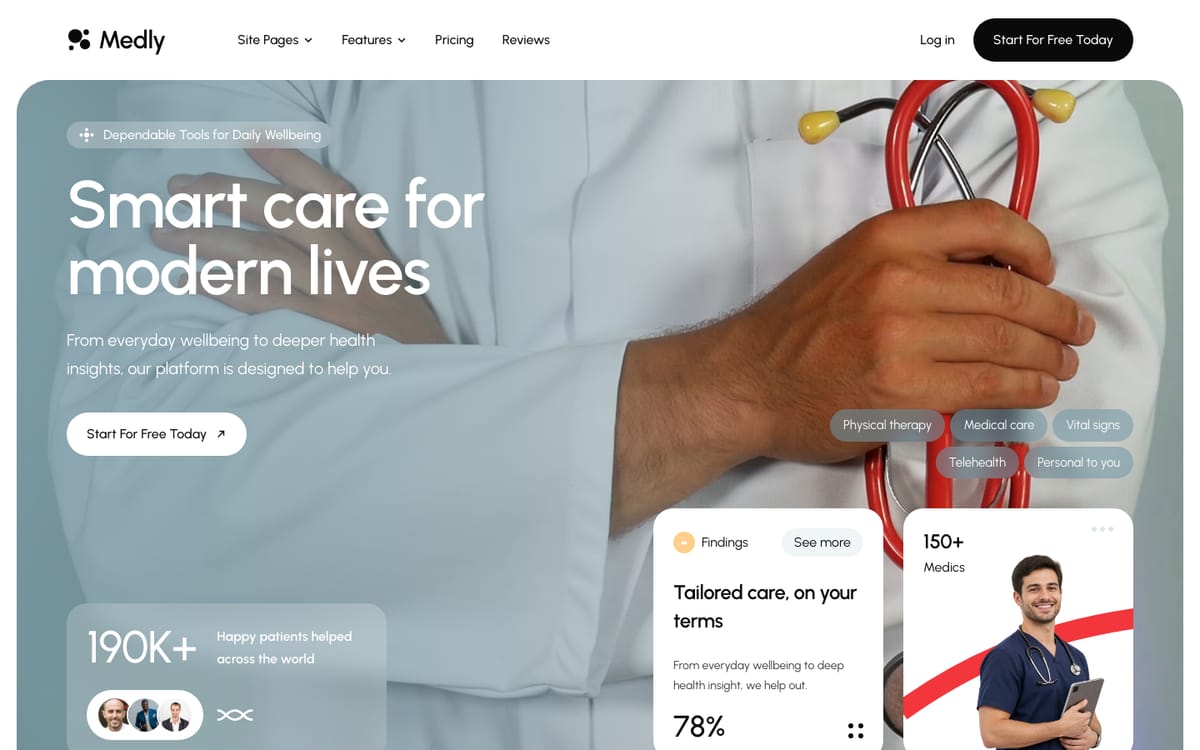
Medly is a light, photo-led health-tech template for wellness tracking, telehealth and clinics. It has 15 pages, with a doctor-photo hero, a product bento, a story collage, pricing, a FAQ, a blog and sign-in pages.
It suits a clinic or a health app that wants to look calm and clean.
Best Astro templates for education and charity
These sites talk to parents, donors and volunteers. They need warmth, clear programs and an easy way to get in touch or give.
Kiddo
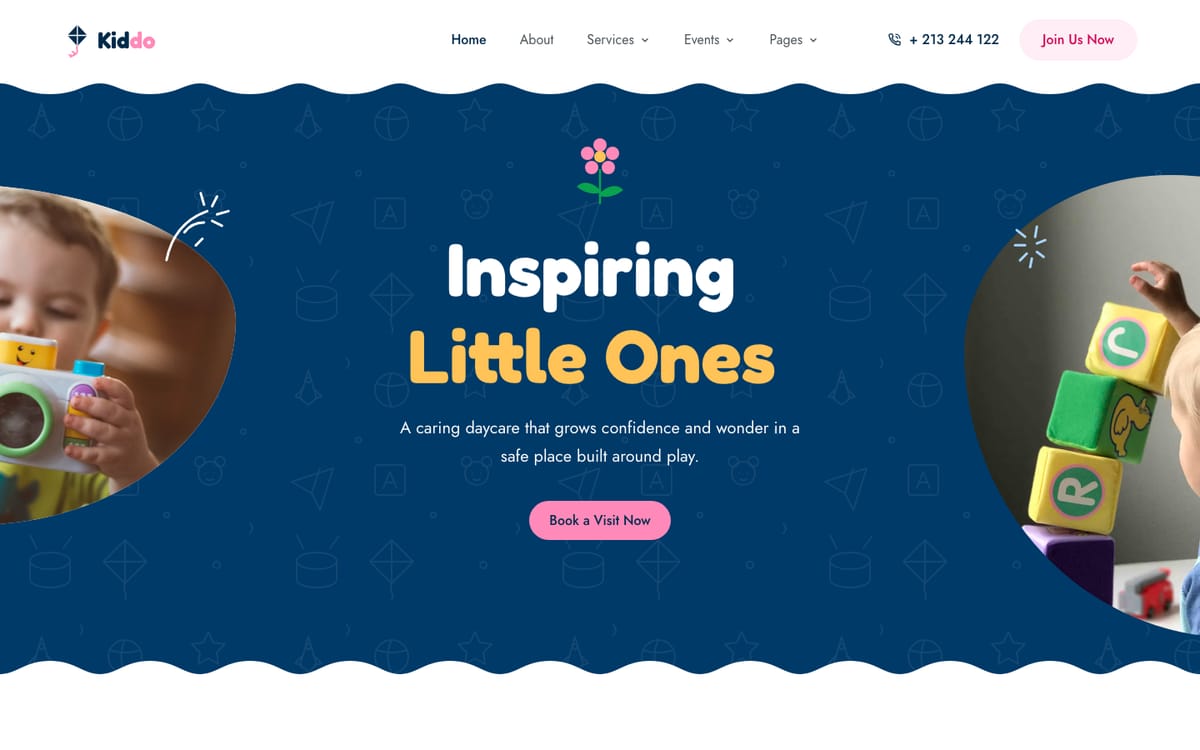
Kiddo is a bright, playful template for kindergartens, nurseries and preschools. It has 12 pages, with programs, events and blog collections, staff, pricing, a FAQ and a contact form. Headings use the rounded Fredoka on navy doodle heroes and pastel bands.
It’s a good fit for a daycare or preschool that wants parents to feel at ease.
Kindly
Kindly is a warm template for charities, non-profits and community fundraisers. It has 13 pages, including cause campaigns with goals, a volunteer band, donation packages and a donation form, team, reviews, a blog and a FAQ.
Pick it if donations and campaigns are the main thing your site has to do.
Maxa
Maxa is a joyful, illustrated template for a family support or therapy practice. It has four pages: a landing page with questions and a contact form, a program page, an about page and a blog. A giant illustrated wheel rolls from program to program.
It suits a small practice with programs for different ages that wants to feel warm, not clinical.
Bold and cinematic Astro templates
Some brands want the site itself to make an impression: big type, full-bleed photos, scroll-driven motion. These are the ones in our collection that go furthest.
Glow
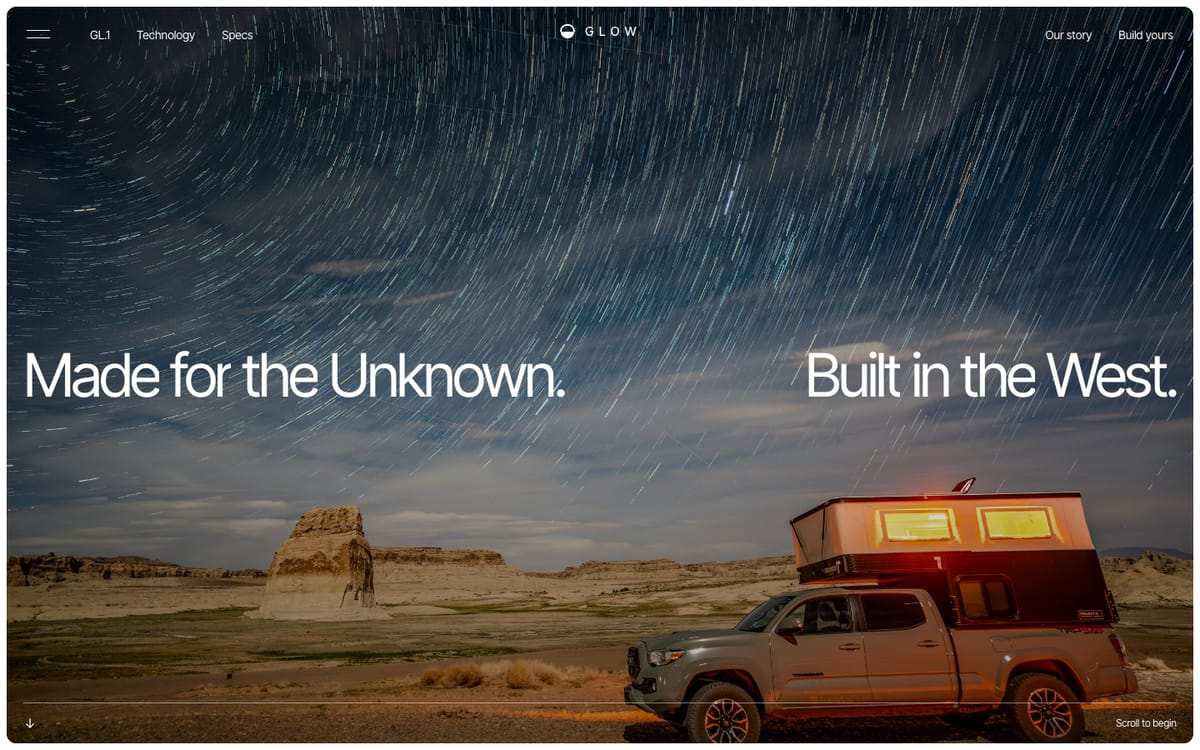
Glow is a cinematic template for an electric travel-trailer or outdoor vehicle brand. It has four pages: a landing page with a contact form, a model page, an about page and a journal. The hero pins and shrinks into a photo collage as you scroll.
It works for any product brand with great photos, not only trailers.
Wabi
Wabi is a cinematic template for autonomous-trucking, robotics and deep-tech companies. Big serif headlines in Fraunces sit next to full-bleed photo bands and one signal-orange accent. It has four pages: a landing page with a contact form, a safety page, an insights page and a careers page.
Pick it for a deep-tech company that wants to look calm and serious.
Volt
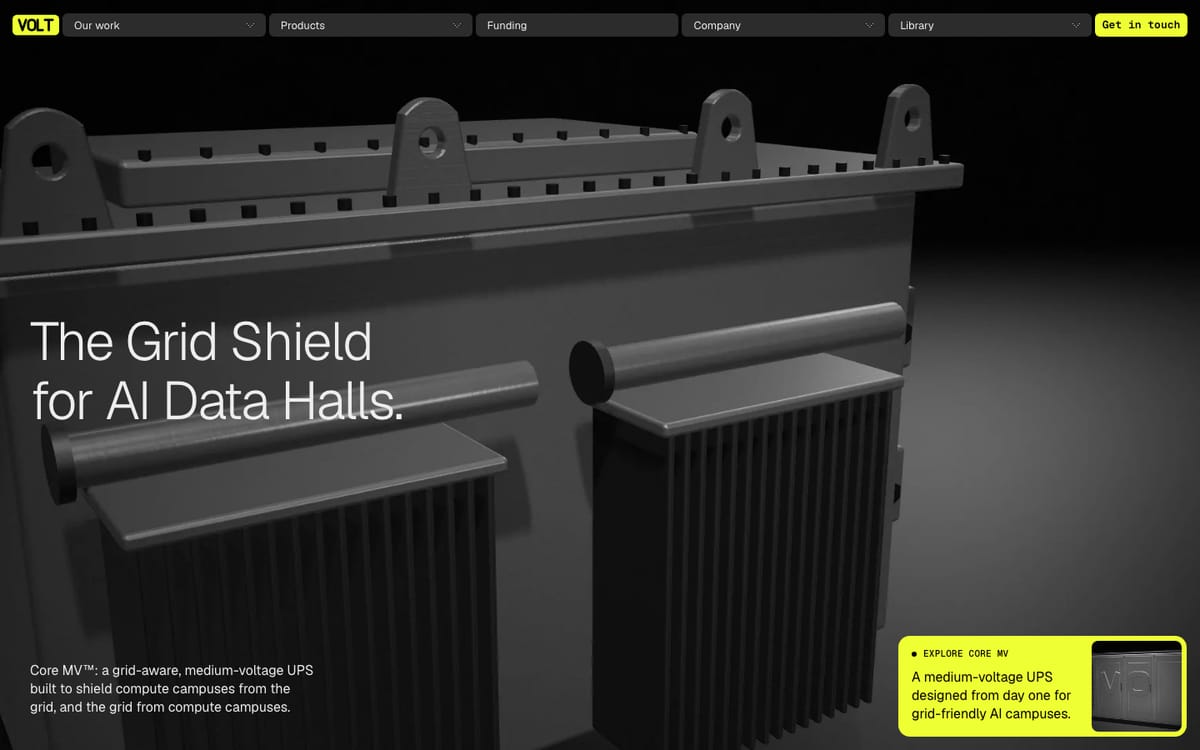
Volt is a dark, cinematic template for energy and hardware companies. Scrolling scrubs a 3D film of the hardware, and one electric yellow runs through buttons, statements and the footer. It has a landing page and three inner pages for technology, projects and news.
It suits a hardware company with a product render it wants to show.
Orbit
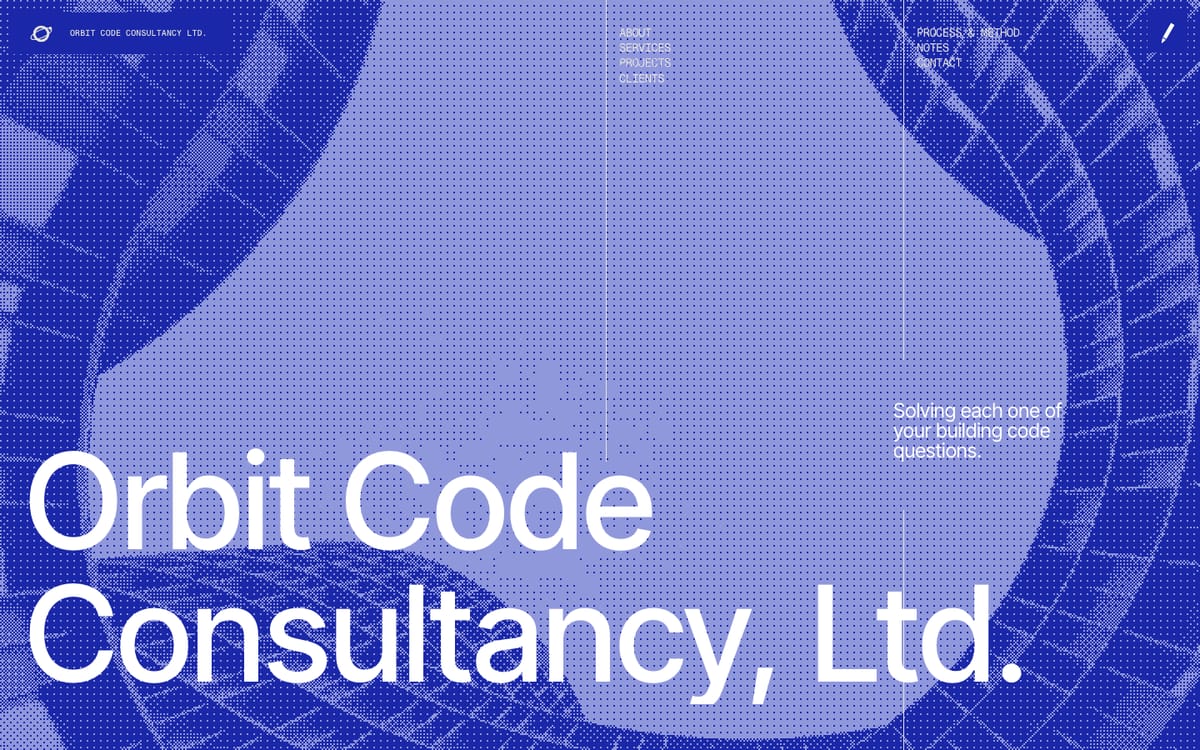
Orbit is a precise, motion-rich template for building-code, zoning and permit consultancies, engineering firms and other technical studios. Warm-grey paper meets one deep ultramarine, and every photo is printed as two-tone blue dots. It has five pages.
It’s a good pick for a technical firm that wants to stand out from the usual stock-photo consultancy site.
You can see all 30 in the template library, grouped by category.
Good free Astro templates
You don’t always need a paid template. These free, open-source options are solid, and for some sites they’re the better choice. We checked each one against its own GitHub README and license.
AstroWind
AstroWind is a free, MIT-licensed template built with Astro and Tailwind
CSS v4. It comes with a set of page-section widgets (heroes, features, pricing, FAQ, testimonials and more), dark
mode, RTL support and a blog with an RSS feed. It also ships an AGENTS.md file for AI coding tools.
It’s a good general-purpose starting point when you want lots of building blocks and you’re happy to do the design work yourself.
AstroPaper
AstroPaper is a minimal, accessible blog theme, MIT licensed. It has light and dark mode, static search with Pagefind, drafts, pagination, a sitemap and RSS feed, and it uses Tailwind CSS v4.
If all you need is a clean personal blog, use AstroPaper. A marketing template would be more than you need.
ScrewFast
ScrewFast is an open-source template built with Astro, Tailwind CSS
and Preline UI, under the MIT license. One repo gives you a landing page, a blog, product pages and a full docs site
built on Starlight. It also includes an AI_GUIDE.md that tells AI tools where things live.
Pick it if you want a product site and docs in one place for free.
Starlight
Starlight is the Astro team’s own framework for documentation sites, MIT licensed. It isn’t a marketing template. But if what you’re building is docs, start here. It’s the right tool, and no landing page template will do that job as well.
The official Astro themes directory
The Astro themes directory on astro.build is the official place to browse. It lists both free and paid themes from many authors. It’s a good place to look when nothing above fits. Check each theme’s license and when it was last updated before you build on it.
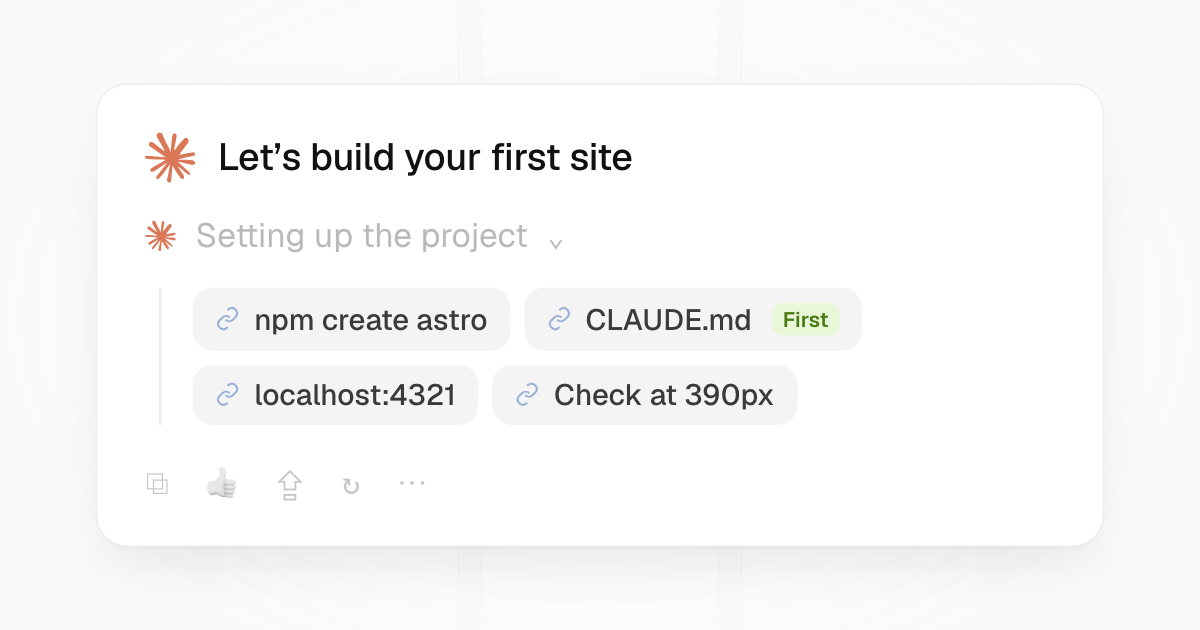
How to install one with your AI agent
A template is a whole project, so it goes into a new folder, not on top of an existing site.
For an Aymu template, you sign in to your Aymu account first. Then you have two ways to install it.
Over MCP. Connect your AI tool (Claude Code, Codex, Cursor or VS Code) to the Aymu MCP server. It signs you in through your browser, so there’s no API key to paste. Then ask your agent to install the template. The server checks that your account has access, and the installer shows the planned files before it writes anything. The MCP setup guide covers each tool.
From the terminal. Run the installer yourself:
npx aymu login
npx aymu add template <id> --dir my-site
The <id> is the template’s id, which is in the prompt you copy from its page. The --dir folder must not exist
yet, or must be empty. The installer checks the release’s signature and every file’s checksum, then shows the files
before it writes them.
Once it’s in, cd my-site, install dependencies and run the dev server. Look at it unchanged first and take a few
screenshots. Then tell your agent which parts of the design are final, so it edits content and doesn’t drift back to
generic defaults. Write CLAUDE.md design rules shows how.
Free templates install the usual way, by cloning the repo or using the command in their README. After that, the same advice applies. Get it running, take screenshots, then edit.
If you only need one piece, like a pricing block or a hero, you don’t need a whole template. You can add a designed section with MCP to the site you already have.
Share this post
 Post on X
 Share on LinkedIn
Ask an AI about this post
 ChatGPT
 Claude
 Perplexity
 Google AI
 Grok
 Written byMuhammad SumonDeveloper and UI/UX designer